
The Affiliate Hustle · Affiliate Networks · Vendor Guide
Most Digistore24 guides are written for affiliates — people promoting other people’s products. This one is for the other side of the marketplace: creators who want to sell their own course, ebook, software, membership, or supplement through Digistore24 and let an army of affiliates do a share of the selling. The good news is that listing costs nothing up front. The part you need to get right is the math: the platform fee, the commission you offer, and the refund reserve all come out of the same sale, so a careless price or commission can leave you with almost nothing per order. This guide walks the whole path — account, product setup, pricing, commissions, marketplace listing, and payouts — with the real numbers, including the places where Digistore24’s own pages disagree with each other.

A genuinely good place to launch a digital product — if you price for the fee and the commission
Digistore24 is one of the lowest-friction ways for a creator to start selling: no monthly fees, no setup costs, and no listing charges — you pay a per-sale margin only when money actually changes hands. As the merchant of record, Digistore24 processes payments, calculates and remits VAT and sales tax, issues invoices, handles refunds and chargebacks, and pays your affiliates automatically. The catch is entirely in the arithmetic: a standard fee of 7.9% + 1 euro per sale, a 10% security hold for 60 days, and whatever commission you promise affiliates all stack on the same order. Set your price and commission with those three deductions modeled first, and Digistore24 is an excellent launch platform. Skip that step, and even a busy product can feel unprofitable.
This score is The Affiliate Hustle’s own assessment for vendors, grounded in the research and sources cited in this article.
If you are coming at Digistore24 from the affiliate side instead, start with our guide to how to join Digistore24 as an affiliate and our trust check on whether Digistore24 is legit. This guide assumes you already have something to sell — or you are close — and you want the vendor path, step by step.
01What selling on Digistore24 actually means

Digistore24 is a marketplace and a payment processor in one. As a vendor, you upload your product, set a price, choose a commission for affiliates, and Digistore24 handles the rest of the commerce layer: the checkout page, card and PayPal processing, VAT and sales-tax calculation, invoice generation, refund handling, and affiliate payouts. That “merchant of record” role is the single biggest reason creators pick Digistore24 over a self-hosted checkout — you never touch a customer’s card details, and you never have to work out what tax rate applies in Romania.
What you can sell
Digistore24 was built for digital goods and services: online courses, ebooks, software licences, memberships, coaching programs, templates, and audio or video products. Physical products (notably supplements) are also sold on the platform — Digistore24’s features page explicitly cites physical-product support and fulfillment reporting — but the marketplace’s centre of gravity is digital. If you are selling a supplement or a physical product, confirm the fulfilment and delivery requirements with Digistore24 support before you invest in the listing.
What Digistore24 handles for you
- Checkout and payments: credit and debit cards, PayPal, and local methods where supported. You do not need a payment gateway of your own.
- Tax: Digistore24 calculates, collects, and remits VAT and sales tax as the merchant of record, and issues legally compliant invoices to buyers.
- Refunds and chargebacks: the platform manages the refund process, including the 10% security hold that covers refunds and chargebacks for 60 days (section 04).
- Affiliate management: affiliate recruitment, PromoLinks, tracking, and automatic commission payments — the part that makes Digistore24 a marketplace rather than just a cart.
- Marketplace listing: your product appears in Digistore24’s marketplace, searchable by the network’s affiliates (section 06).
02Step 1: Set up your vendor account
Start at the vendor signup (also called the “product vendor” registration), and sign up with your legal business name — the same name on your tax documents and bank account. The rest of the form asks for the details Digistore24 needs to pay you and to act as merchant of record on your behalf. Getting these right at signup prevents the most common payout headache later.
The most common payout block is a mismatch between the name on your vendor account and the name on your payout account. One name, spelled identically everywhere — account, bank, tax ID. Digistore24 offers a free account type for vendors, and an “upgrade account” tier only adds features like custom checkout and extra product options, so start free and only upgrade if you need a specific feature.
03Step 2: Create and list your product
The product setup is where the details live, and it is also the step where most first-time vendors lose time to rework. Digistore24 splits setup into product details, payment plan, and delivery — get each part right the first time and approval is fast.

Create the product
- Enter your product name and description. This is what buyers see on the checkout page and what affiliates see in the marketplace, so write it for both audiences at once.
- Pick the right product type. Digistore24 distinguishes digital products, memberships, and physical goods — the type you pick changes the delivery setup that follows.
- Assign the product to a sales funnel. Digistore24’s product setup is organised into funnels, which lets you combine products, upsells, and order bumps into a single customer journey.
- Upload a product image — the platform requires a 500 × 500 px image for the product listing.
- Complete the compliance fields, including the mandatory imprint, privacy policy, terms and conditions, and cancellation policy. The approval team checks these — do not skip them.
- Decide the purchase process. Digistore24 offers a standard or “custom” checkout — the upgraded “custom” checkout lets you embed your own branding — so decide whether the free account’s standard checkout is enough before you upgrade.
Set the payment plan
Next, set the price, choose one-time payment or subscription, and pick a currency. Then set the commission for affiliates (section 05) and configure any upsells or order bumps you want to offer at checkout.
Set up delivery
How the buyer receives the product depends on the product type: a download link, a membership login, a licence key, or a physical shipment. Digistore24 supports download delivery (a link or file the buyer receives after purchase), membership access (Digistore24 can connect to a membership plugin or send credentials), and physical fulfilment reporting. Make sure the delivery path works end-to-end — buy your own product through a test purchase before you open it to affiliates, because nothing kills an affiliate relationship faster than customers who pay and receive nothing.
Request approval — and expect a manual review
When you submit the product, Digistore24 checks your account and product details before the listing goes live — the marketplace help pages say the process takes up to 48 hours. The review checks your product description, pricing, legal pages, and delivery setup. An approval request with missing compliance documents is the most common reason the process stalls, so verify the legal pages before you submit.
04Step 3: Price it — the fee schedule, stated honestly
Digistore24 does not charge a monthly fee or a listing fee. It takes a margin on every sale, and the exact numbers depend on the sale — which is why this section quotes the sources instead of smoothing over the differences. Worked through honestly, the fee is generous on higher-ticket products and thin on low-ticket ones, and the worked example below shows exactly where the money goes.

How the fee schedule works
| Fee | What Digistore24 charges |
|---|---|
| Monthly fee | $0 — no monthly fees on any account type, per the features page. |
| Setup fee | $0 — no setup charges, per the features page. |
| Listing fee | $0 — no charges for listing a product, per the features page. |
| Standard margin | 7.9% + 1 euro per sale, per the pricing FAQ. This is the figure to budget with. |
| Minimum margin | 0.60 euros per sale. The exact wording on the pricing FAQ: “For sales in the low price range, a minimum margin of 0.60 euros will be charged.” |
| Maximum margin | 50 euros per sale, capped. For a very expensive product, the 7.9% portion stops at 50 euros — so a 1,000 euro sale costs 50 euros in the percentage part, not 79 euros. |
| Affiliate commission | You set it — from 1% to 90% of the sale (section 05). Paid automatically from your payout. |
| Security hold | 10% of every payout is held for 60 days, then released. This is the reserve that covers refunds and chargebacks. |
| Payout fee | 0.25 euros per payout. |
| Currency | Digistore24 pays out in euros for SEPA accounts and in US dollars where the product is priced in dollars — the fee schedule is denominated in euros, so confirm which currency your payout will use before you set your price. |
Digistore24’s pricing FAQ quotes the standard margin as 7.9% + 1 euro, while its help-center margin article describes the fee as 7.9% + $0.65 and a separate help article quotes 8.9% + 0.50 euros. The 8.9% figure comes from an older help article; the pricing FAQ — the page Digistore24 links to from its pricing — is the most current, so budget with 7.9% + 1 euro and treat the $0.65 and 8.9% figures as older wording. The minimum (0.60 euros) and maximum (50 euros) figures come from the pricing FAQ and the margin help article, which agree.
Worked example: a $97 course at a 50% commission
Take a $97 course, a 50% affiliate commission, and the standard fee:
- Gross sale: $97.00
- Digistore24 margin: 7.9% of $97 ($7.66) + 1 euro (about $1.08 at current rates) — call it $8.74. (If your account is euro-denominated, the fee is exactly 7.66 euros + 1 euro = 8.66 euros; the dollar figure depends on the exchange rate Digistore24 applies.)
- Affiliate commission (50%): $48.50
- Vendor payout before the security hold: $97.00 − $8.74 − $48.50 = $39.76
- Security hold (10%): $3.98 held for 60 days, then released
- Immediate vendor payout: $35.78
And on a $27 ebook at the same 50% commission: the margin is 7.9% of $27 ($2.13) + 1 euro (about $1.08), or about $3.21 — but the 0.60 euro minimum is well below that, so it does not bite. The affiliate takes $13.50, leaving $10.29 before the security hold and $9.26 immediately. That is why low-ticket products feel unprofitable on Digistore24: the fixed 1 euro fee and the commission eat a far larger share of a small sale.
05Step 4: Set commissions affiliates actually want
Your commission is the single biggest lever on whether affiliates promote your product. Digistore24 lets you set a commission from 1% to 90% of the sale price, and the choice is yours — but the marketplace has a clear pattern: the products affiliates actually promote sit at 50-75%, because at those rates the payout per sale justifies an affiliate’s time and ad spend.

How to choose your rate
- Start with the worked example. On a $97 product at 50%, the affiliate earns $48.50 per sale — enough to justify paid traffic. On a $27 product at 50%, the affiliate earns $13.50 — enough for an email, not for ads. Price and commission are one decision, not two.
- Match the category norm. Digistore24’s marketplace shows the commission on every listing, so affiliates compare directly. A 30% commission on a product whose competitors offer 60% will not get picked up, whatever your sales page says.
- Reward the first sale, not just the volume. A flat commission is simpler and more transparent than a tiered one. If you want to reward volume, use a launch bonus or a contest instead of a complicated tier.
- Consider the refund rate. A high refund rate makes a high commission unattractive — affiliates lose the commission when a sale refunds, and they know it. Fix the product and the page before you raise the commission.
- Revisit the rate after launch. If affiliates are not promoting, the commission is the first thing to check. A 10-point increase costs you $9.70 on a $97 sale and can double the affiliates who pick you up.
Ready to list? The account is free — the math is the work.
Set your price and commission with the fee and the security hold modeled first, then list the product and invite affiliates. The setup takes an afternoon; the commission decision is what makes it pay.
Start Selling on Digistore24 →06Step 5: Get affiliates promoting your product
Listing in the marketplace is not the same as being promoted. Digistore24 reports 125,000+ affiliates — but the affiliates who move volume choose products on three things: commission, conversion rate, and trust. Your listing page is your pitch to them, and it needs to answer all three before they click “promote”.

What makes affiliates pick your offer
- A commission that beats the category average. Affiliates sort by commission per sale. If the category norm is 60% and you offer 40%, you will not appear in their shortlist.
- A sales page that converts. Affiliates check the page before they promote — a page with a clear promise, social proof, and a working checkout gets promoted; a page with vague claims does not.
- A refund rate they can live with. Digistore24 shows the refund rate on the marketplace listing. A rate above 10% is a warning sign; below 5% is a selling point.
- Promo material ready to use. Email swipes, banners, and a short video affiliates can embed. The less work you make them do, the more likely they are to start.
- A vendor who answers. Affiliates message vendors with questions about the product and the commission. A vendor who replies within a day keeps affiliates; a vendor who never replies loses them.
Drive your own traffic too
Do not rely on the marketplace alone. The fastest way to get affiliates is to show them the product already sells: run your own traffic to the sales page, build a conversion history, and then invite affiliates with the numbers in hand. A product with a 2% conversion rate and a 3% refund rate is an easy pitch; a product with no sales history is a gamble. Our guide to promoting Digistore24 products shows the affiliate side of this equation — read it to understand what your affiliates are doing with your link.
07Step 6: Checkout, delivery, and getting paid
When a sale happens, Digistore24 handles the entire money flow: the buyer pays Digistore24, Digistore24 deducts its margin, the affiliate’s commission is calculated and held for payout, and your share — minus the 10% security hold — is paid to you on the payout schedule. Here is how each piece works.
Checkout and delivery
Buyers check out on a Digistore24-hosted page (or your embedded checkout, if you use the custom checkout). After payment, Digistore24 delivers the product automatically — a download link, membership credentials, or a physical shipment notification, depending on the product type. You can also set up upsells and order bumps that appear after the first purchase, with their own commissions for affiliates.
Vendor payouts
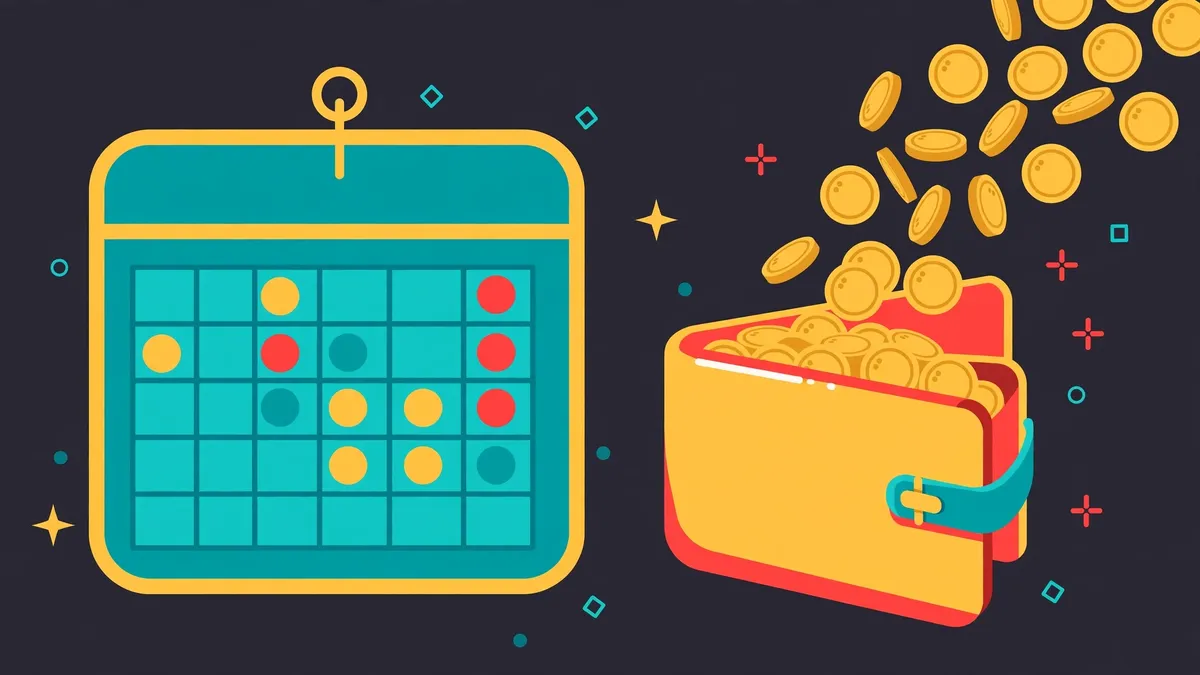
Digistore24 pays vendors up to four times a month (the features page cites four payouts per month; the help centre describes payouts on a weekly cycle, so expect roughly weekly and confirm the exact schedule in your vendor dashboard). Payouts go to your PayPal account or bank account (SEPA for European vendors, international transfer otherwise). Each payout costs 0.25 euros. The 10% security hold is released after 60 days, so your first payouts will be smaller than your sales suggest — that is normal, and the held amount is not lost, only delayed.
08Pros and cons for vendors
Why vendors choose Digistore24
- No upfront cost. Free vendor account, no monthly fee, no listing charge — you pay only when you sell, and the fee is transparent.
- Affiliate distribution built in. 125,000+ affiliates are already on the platform — the marketplace can drive sales you would never reach alone.
- Merchant of record. Digistore24 handles VAT and sales tax, invoicing, refunds, and chargebacks — the work that makes self-hosted checkout painful.
- Payouts in euros or dollars. SEPA for European vendors, international transfer otherwise, up to four times a month.
- A real marketplace. Your product is listed alongside the marketplace’s 1,000+ products and 3,000+ vendors, so affiliates can find it without you recruiting them one by one.
What to watch out for
- The per-sale margin stacks with your commission. 7.9% + 1 euro, plus the affiliate commission, plus a 10% security hold for 60 days — on a low-ticket product, the vendor’s share can feel thin.
- Low-ticket products suffer. The fixed 1 euro fee and the 0.60 euro minimum make cheap products expensive to sell — budget with the worked example before you price at $19.
- Conflicting fee figures online. Digistore24’s own pages quote 7.9% + 1 euro, 7.9% + $0.65, and 8.9% + 0.50 euros in different places. The pricing FAQ (7.9% + 1 euro) is the most current, but the disagreement itself is a reason to confirm the fee in your vendor dashboard before you set a price.
- The security hold delays cash. 10% of every payout is held for 60 days. Plan your cash flow around it — your first months will feel tighter than your sales suggest.
- You still need a good product and page. Digistore24 brings the checkout and the marketplace, not the sales. A weak product or a weak sales page will not be saved by a high commission.
Who should sell here: creators with a digital product (course, ebook, software, membership) priced at $47 or above, who want affiliate distribution without building their own affiliate program. If your product is $19 and your margin is thin, the fee and the commission will eat most of it — either raise the price or bundle the product into a higher-ticket offer.
09Frequently asked questions
How much does it cost to sell on Digistore24?
Nothing up front. Digistore24 charges no monthly fee, no setup fee, and no listing fee. You pay a per-sale margin of 7.9% + 1 euro, with a minimum of 0.60 euros and a cap of 50 euros per sale. See section 04 for the full schedule and the worked example.
What commission should I offer affiliates?
Most products that get promoted sit at 50-75%. Work the numbers from section 04 first: on a $97 product at 50%, the affiliate earns $48.50 per sale. A lower commission is fine if the price is high; a low commission on a low-ticket product will not attract affiliates.
How long does approval take?
Digistore24’s marketplace help pages say the review takes up to 48 hours. The most common delay is missing compliance documents — the imprint, privacy policy, terms and conditions, and cancellation policy — so verify them before you submit.
When do vendors get paid?
Up to four times a month to PayPal or bank transfer, per the features page, with each payout costing 0.25 euros. 10% of each payout is held for 60 days as a security reserve against refunds and chargebacks, then released.
Do I need a business to sell on Digistore24?
You need a legal name that matches your tax documents and bank account, and Digistore24 will need the tax and payout details for the merchant-of-record arrangement. Whether you need a registered business entity depends on your country and tax situation — check with a local tax advisor before you list.
Can I sell physical products on Digistore24?
Yes — the platform supports physical products (notably supplements) and reports on fulfilment. The marketplace’s centre of gravity is digital goods, so expect a smaller affiliate pool for physical products, and confirm the fulfilment and delivery requirements with Digistore24 support before you invest in the listing.
The verdict: list it, price it honestly, and let affiliates scale what works
Digistore24 is free to start and gives you the cheapest distribution in affiliate marketing: a marketplace of 125,000+ affiliates, built-in tax handling, and a 7.9% + 1 euro fee you only pay when you sell. The product has to be good, the commission has to be fair, and the sales page has to convert — but if those three are true, this is the fastest way to put a product in front of people who sell for a living.
Create Your Free Vendor Account →10Sources
- Digistore24 — Features for vendors (digistore24.com/en-de/features)
- Digistore24 Help Center — How does the Digistore24 margin work? (help.digistore24.com, article 23461791915537)
- Digistore24 Help Center — Create your first product (article 23635480376849)
- Digistore24 Help Center — Sell products in the marketplace (article 29007028838033)
- Digistore24 — Official blog (digistore24.com/en/blog)
- The Affiliate Hustle — How to Join Digistore24 as an Affiliate (2026)
- The Affiliate Hustle — How to Promote Digistore24 Products (2026)
- The Affiliate Hustle — Is Digistore24 Legit or a Scam? (2026)
More From The Affiliate Hustle
- How to Promote Digistore24 Products (2026): Picking Offers, Promo Links & Traffic That Converts
- Is JVZoo Legit or a Scam? (2026): Fees, Refunds & the Product-Quality Problem
- Is CPAGrip Legit or a Scam? (2026): Payouts, Tracking Complaints & the Honest Verdict
- How Long Do DraftKings Casino Withdrawals Take in PA? (2026): Every Method, Timed
- Chime vs SoFi Compared (2026): Fees, APY, Early Pay & Which Account Wins
- Revolut vs Wise Compared (2026): Fees, Exchange Rates & Which Is Better for Travel
- How to Promote ClickBank Products Without a Website (2026): TikTok, Pinterest & Funnels
- RedTrack vs Voluum Compared (2026): Tracking, CAPI, Pricing & Which Tracker Wins
- GoHighLevel vs ClickFunnels Compared (2026): Agencies, Funnels, CRM & Real Monthly Cost
- Golden Nugget vs DraftKings Casino PA (2026): Spins, Games, App & Payouts Compared
- ClickBank Gravity Score Explained (2026): What It Means & What Number to Target
- Digistore24 vs JVZoo Compared (2026): Commissions, Cookies, Payouts & Which Pays More
- How to Join Digistore24 as an Affiliate (2026): Step-by-Step Signup & Your First Promolink
- MaxBounty vs CPAGrip Compared (2026): Approval, Payouts & Which Network Pays More
- Is Digistore24 Legit or a Scam? (2026): What Affiliates Need to Know Before Joining
- Digistore24 vs ClickBank Compared (2026): Commissions, Cookies, Payouts & Which Pays More
- Chime Review 2026: No-Fee Checking, Get Paid Up to 2 Days Early, SpotMe & Up to 4.00% APY Savings
- PA Online Casino Bonus Rules Explained
- Scale.gg Review for Marketers: 29 Apps, Funnels, Email & Agency Workflows Tested
- How to Get Approved by CPA Networks
- Best Online Casinos in Pennsylvania
- DraftKings vs FanDuel Casino PA (2026): Games, App, Payouts & Player Experience Compared
- Affiliate Marketing Software Guide
- Best Affiliate Networks for Beginners
- How CPA Affiliate Networks Work
- Scale.gg vs GoHighLevel Compared (2026): Agent-Native Apps vs the Agency CRM
- MaxBounty vs ClickBank Compared (2026): Payouts, Approval, Offers & Which Pays More
- The 7-Login Audit: How Solo Marketers Lose Their Best Work Hours Before 9 AM – Affiliate Hustle
- Scale.gg Review (2026): The Agent-Native All-in-One With 29 Apps — Full Breakdown
- MaxBounty Review (2026): The CPA Network With the Highest-Converting Offers
- RedTrack Review (2026): The Ad Tracker You Must Have to Know What’s Converting
- DraftKings Casino in Pennsylvania: How the 1,000 Spins Offer Actually Works (2026 Guide)
- Golden Nugget Casino in Pennsylvania: The Classic Casino Brand, Online (2026 Guide)
- Best Online Casino Promotion in PA (2026): DraftKings vs FanDuel — Best Casino Offer Compared






Leave a Reply